de-leak-rtStem bleed removal for Demucs separations
Real-time leak gate for Demucs / htdemucs stem separations. ML classifier
detects inter-stem bleeding per-frame; multiband gain removes it without
touching the music. F1 = 0.993 on MUSDB18-HQ.
Full documentation: de-leak user manual — every control, preset and workflow, with screenshots.
What does de-leak-rt do?
de-leak-rt removes stem bleed from Demucs and htdemucs separations in real time. A classifier flags inter-stem bleeding frame by frame and a multiband gain pulls it down without touching the music (F1 = 0.993 on MUSDB18-HQ). It runs as a VST3 / CLAP plug-in with a 14-day free trial.
7 presets, tuned per stem type
Pick by what kind of stem you're cleaning. Each preset is validated against a real
corpus of Suno, Udio, and Demucs separations. Fine-tune later with the gate sliders.
Preset
Use it for
What it does
Default (Universal)
first try
Any stem when you're not sure of the source
Conservative — gain ≈ 0.94, mid protected
Vocal
Suno / Udio raw vocal stems
Preserves formant; high band aggressive on RVQ
Instrument
Drums, bass, guitar, synth — transient-heavy
False positives minimized; transients protected
Master
Full mix or master bus
Almost transparent — gain ≈ 0.98
AI Ghost
new
Suno Other / Percussion stems with 4 kHz+ ghosting
Air band cut −3.6 to −4.4 dB
AI Heavy
Coarse RVQ vocal
Gate shape 2 + extra GR 6 dB
Aggressive
Diff-mode auditioning, leak-only solo
Maximum reduction — for inspection, not mixing
Three ML models, three character profiles
All preserve vocals; they differ in how aggressively they handle reverb tails
and how much non-vocal content they let through.
Model
Trained on
Best for
Default (large_v3)
MUSDB stem leak
Conservative — real vocals always safe
Balanced (v7)
recommended
+ 859 HDF5 reverb / clean / FMA neg
Reverb suppression with vocal preservation
Aggressive Reverb (v5)
+ reverb-aware augmentation
Hard reverb tails — risk of vocal damage
Built for stem work
One fixed, reported latency
The plug-in processes in 4096-sample chunks and reports that to the host: about 93 ms at 44.1 kHz. Your DAW's plug-in delay compensation keeps it aligned with the rest of the mix.
134× realtime
4-minute mono input renders in ~1.8 s on M1. The classifier is a small MLP, light enough that a single instance is comfortable on every supported configuration.
Multiband solo
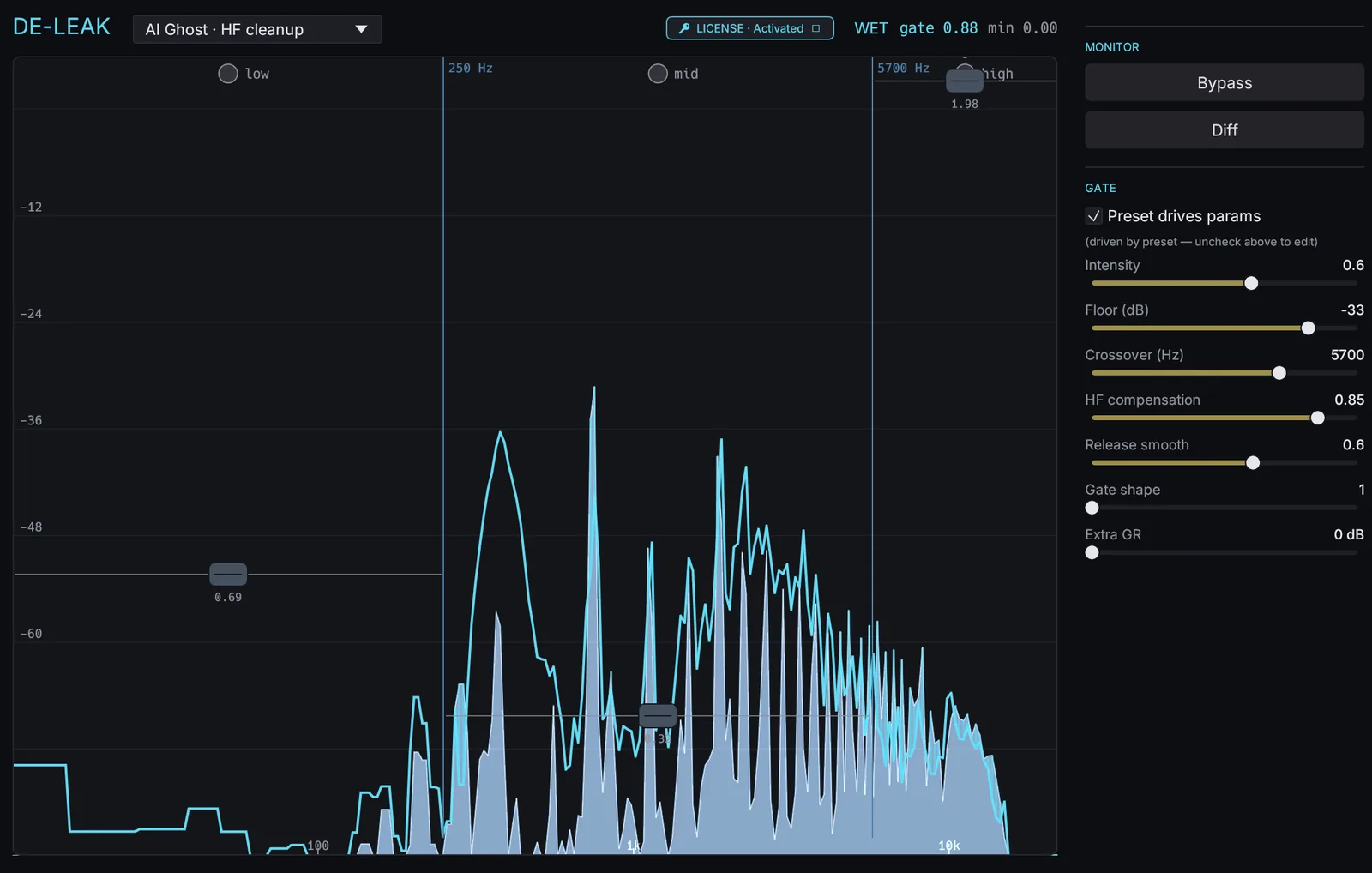
Toggle low / mid / high bands independently to localize ghost noise. Solo + Diff together = audition the leak in just one band.
Wet / Dry / Diff modes
Diff outputs dry − wet — listen to exactly what's being removed. Boost the headphone +30 dB; if you hear the vocal, you're over-gating.
HF preservation
Multiband gain with frequency-aware crossover. The gate only applies below the crossover; above it you decide how much HF to protect (0 → 1.0).
Bit-exact Python parity
+137 dB SDR vs. the PyTorch reference. The plug-in is the reference implementation — no quality compromise from the Rust port.
How it works
de-leak-rt frames each STFT bin, classifies it as content vs. leak, and applies
multiband gain. Causal — no lookahead — so live monitoring works.
The classifier is a 95 K-parameter MLP (~370 KB ONNX) — it makes one decision per
STFT frame. Multiband gain is applied with HF compensation so the high-band content
you want to preserve isn't pulled down with the leak you don't.
System requirements
de-leak-rt's classifier is a 95 K-parameter MLP (~370 KB ONNX) — light enough that
even an entry-level M1 hits 134× realtime,
so a single instance is comfortable on every supported configuration.
Requirement
Minimum
Recommended
macOS
Universal Binary — Apple Silicon (arm64) + Intel (x86_64) in one .pkg · macOS 11 (Big Sur) or later
Windows
Windows 10 x64 or later · .exe installer · VST3 + CLAP
Any — rubato resampler 8 k–384 k. Internal model runs at 44.1 kHz.
Channels
Mono / stereo (per-channel processing).
Hosts (macOS)
VST3 + CLAP — Live, Reaper, Bitwig, Studio One. Logic Pro is not supported because de-leak-rt does not ship as an Audio Unit.
Hosts (Windows)
VST3 + CLAP — Live, Reaper, Bitwig, Studio One, FL Studio
Linux
Roadmap.
FAQ
Why do I get clicks when toggling the band solo?
Fixed — solo transitions use a one-pole ramp (~30 ms half-life). If you still hear them, please report with the host and SR.
Diff + solo together — what should I hear?
Only the dry-minus-wet of the active band. If a vocal appears in the residual you're over-gating that band; back off intensity or raise HF compensation.
Offline bounce comes out silent or short.
The host needs PDC enabled. de-leak-rt reports latency = host_chunk_samples (~93 ms @ 44.1 k). Most modern DAWs handle this automatically.
Will it work on a non-44.1 kHz session?
Yes — rubato resamples 8 k to 384 k transparently. The model always runs at its native 44.1 k internally.
How does it differ from a regular noise gate?
A noise gate triggers on RMS below threshold. de-leak-rt's classifier was trained to distinguish musical content from leak per-frame — it stays open during sub-threshold content and closes during loud leak.
What if my problem is separation residue rather than bleed?
They are different defects and want different treatment. Bleed is another instrument present in the wrong stem — what this plug-in targets. Residue is the separator's own reconstruction damage smeared through the stem. Assess them separately instead of raising intensity to suppress an instrument: the bleed-removal workflow covers the bleed case, and cleaning a separated vocal stem separates the two by ear and fixes each.
Hear it on real stems
Pick a stem and tap Original / De-leaked / Diff
to A/B in place. Playback is synchronized across all three — no re-buffer, no click,
no time jump. These are real source-separation outputs (Suno/Udio internal splitters, a
demucs/htdemucs re-separation of the same mixes, and a human multitrack) — not synthetic.
"De-leaked" uses de-leak-rt's strongest RT model (balanced_large_v8);
Diff plays only what the gate removed.
0:000:00
Keyboard:1 Original ·
2 De-leaked ·
3 or D Diff ·
V/H/I/F Vocal/htdemucs/Instr/Fullmix ·
Space play ·
←/→ ±5 s
What to listen for: on a vocal stem the Diff should be drum/synth/other
bleed — if you hear the lead vocal in there, the gate is over-closing (the model emits one
scalar gain per time frame, so leak that overlaps the vocal in time gets squeezed too — that's
the RT trade-off; per-bin spectral work is de-artifact's job). On instrument and
fullmix stems the Diff should be near-digital-silence — that's the protection path
holding the stem untouched. Strongest cases: First Time lead vocal, and
Suno 003 — flip its Vocal vs Vocal · htdemucs
stems to hear the engine separator and a demucs re-separation get cleaned almost identically.
Try it free for 14 days, buy when you're sold
See de-leak-rt and de-artifact on the same drum bus first — A/B against the dry source. Then download the installer for a free 14-day full trial — every preset, every parameter, no gaps. After 14 days the plug-in inserts a brief silent gap every 60 seconds until you activate.
Start the 14-day trial
14-day free trial
Default v3, Balanced v7, and Aggressive Reverb v5 all included — full quality, no gaps for 14 days. After that the plug-in inserts a brief silent gap every 60 seconds until you activate with a license key.
macOS — Apple Silicon + Intel · Windows — x86_64 · Linux — roadmap
Buy de-leak-rt
One-time licence
One-time purchase, three machines, free updates within v1.x. The license key arrives by email and unlocks the plug-in instantly — whether you're on day 1 of the trial or past day 14.