The plug-in
$149 one-time- Where it runs
- In your DAW, on the 2-bus.
- Control
- All 32 parameters under your hand.
- Cost detail
- No per-minute cost and no connection required once it is activated.
Bring rough AI audio into your mix. Reduce metallic shimmer and watery textures in generated tracks and separated stems. Shape harmonic and percussive cleanup in your DAW.
Improves sound. Not a tool for passing AI detectors.
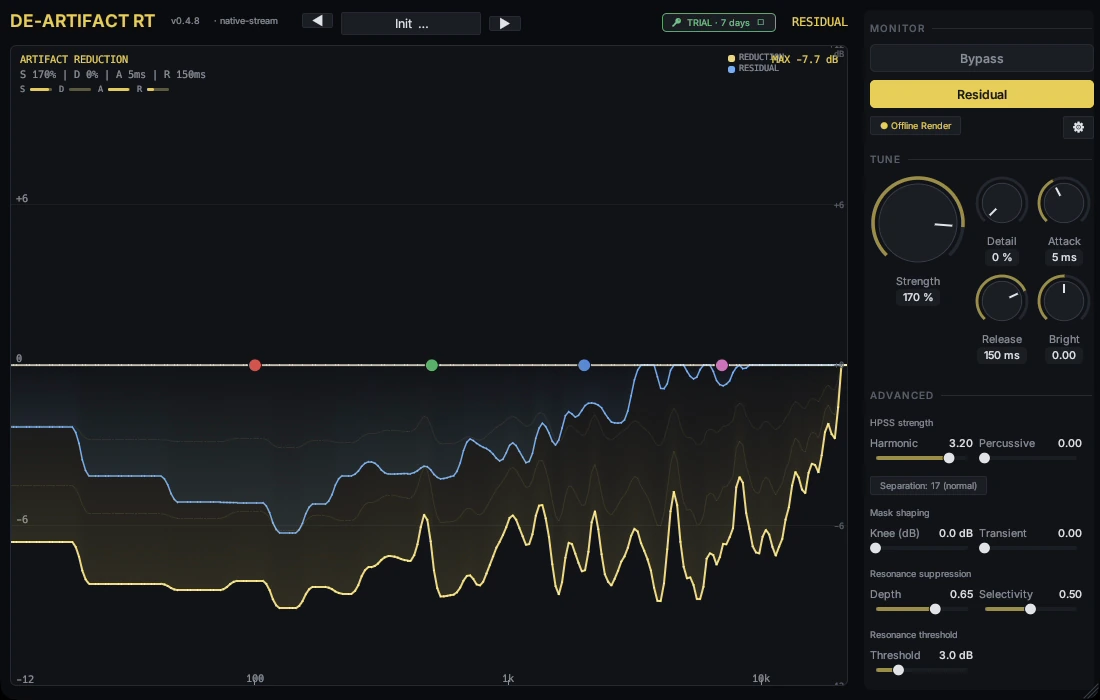
Hear it on a demo track
0:00 / 0:00Suno 032mix
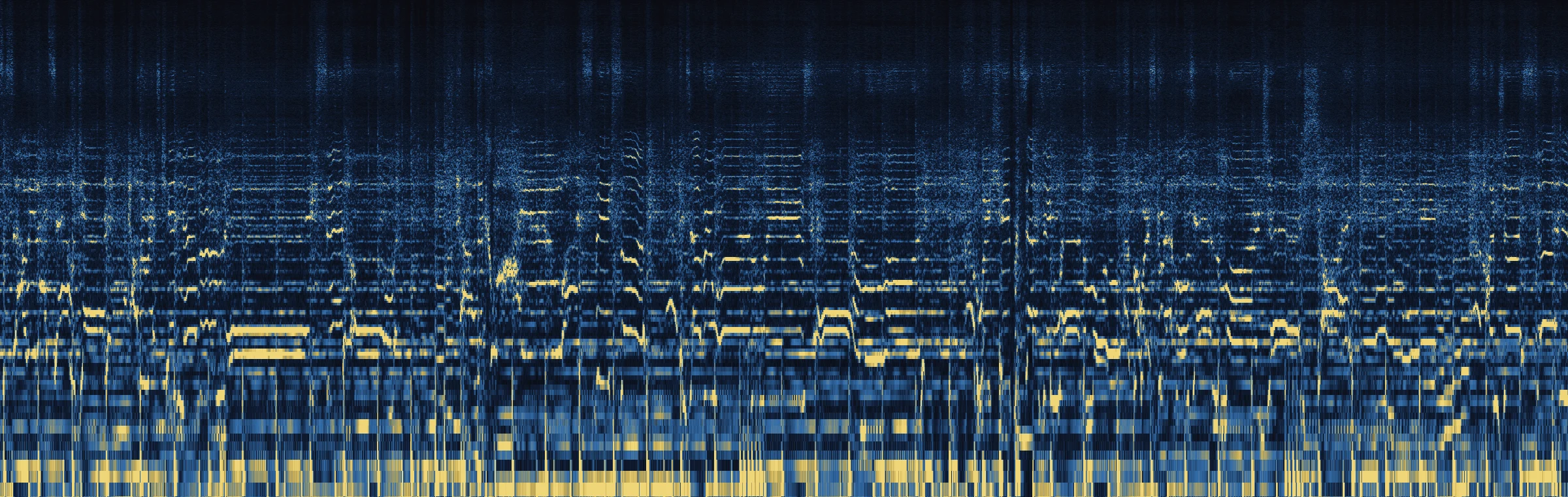
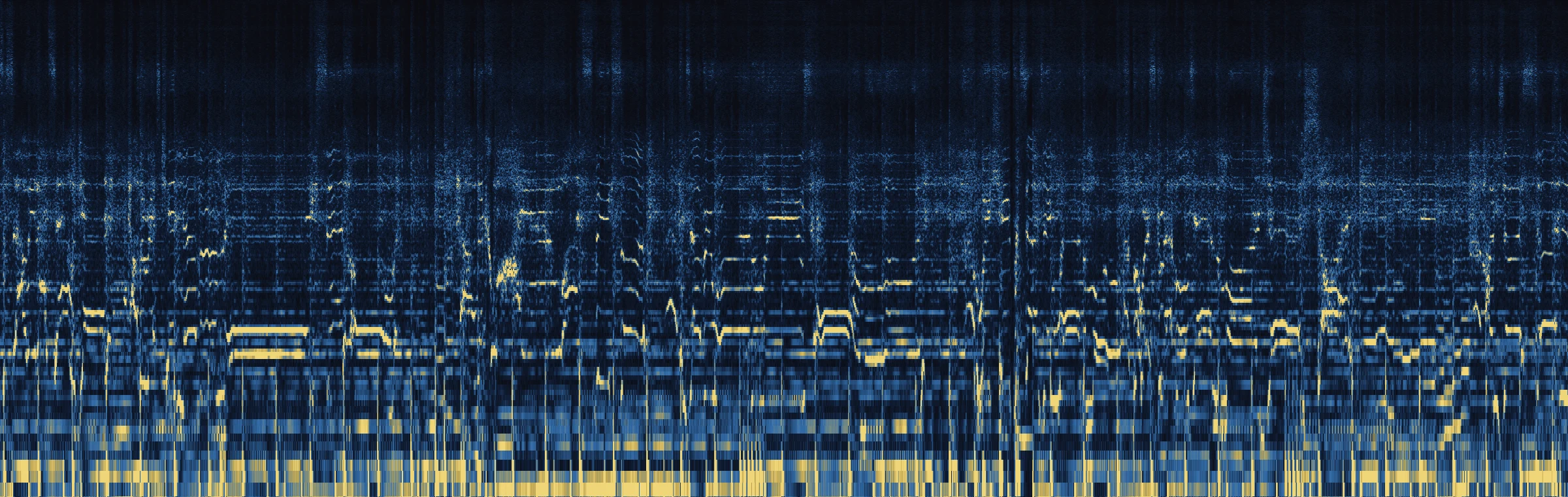
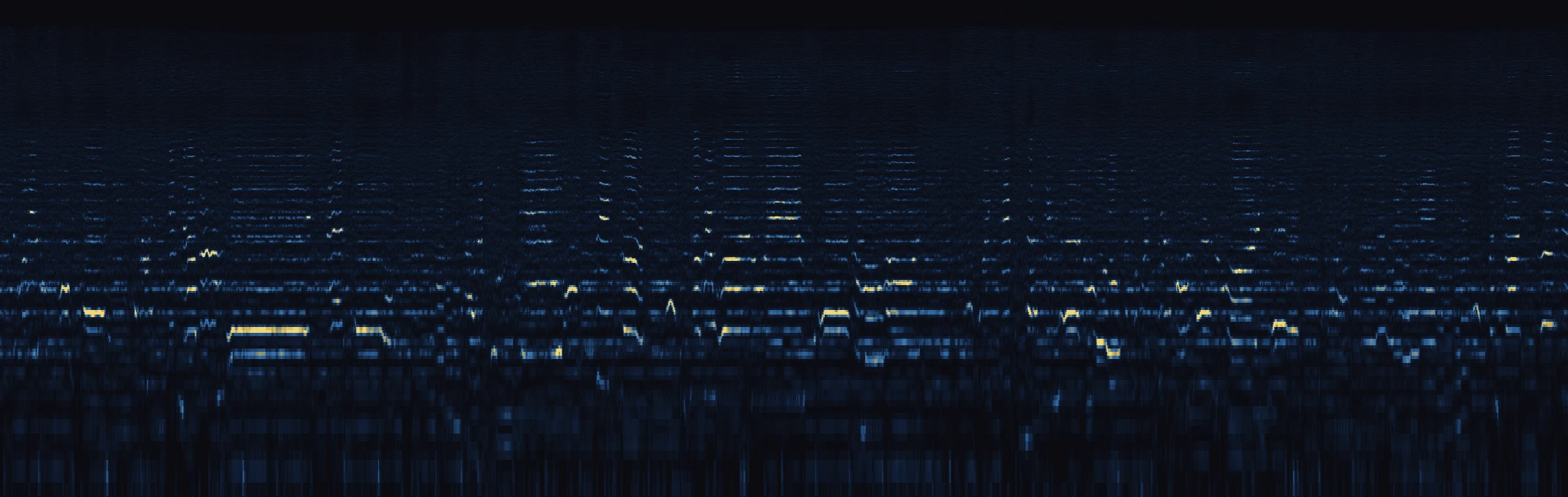
Diff: The removed signal can include musical detail. It is not proof of pure AI artifacts.
Harmonic & percussive control. In your DAW.Hear it on real tracksPreview your track free
Specifications last reviewed against the shipping build.
Full documentation — every control, preset and workflow, with screenshots.
Product details and community feedback on KVR Audio (opens in a new tab)
Two short comparisons with the working plug-in. Turn sound on; no upload needed.
Recorded with de-artifact AU 0.4.4. Offline processing replay; these clips do not demonstrate live latency. English and Korean captions available.
Pick a track and tap Original / Cleaned / Diff to A/B in place. Playback is synchronized across all three — no re-buffer, no click, no time jump. Diff plays only what de-artifact removed.
0:00/0:00
Suno 032 · change the track
Click this comparison panel or Tab into it to use shortcuts:
Tip: if Diff sounds like music, the preset is too aggressive — lower Strength in the plug-in. Mix is the full bounce; Vocal is the htdemucs-separated vocal stem.
Diff: The removed signal can include musical detail. It is not proof of pure AI artifacts.
Spectrograms are rendered for the Suno 032 demo track only. This track plays without them.
Spectrograms of the Suno 032 demo track (mix), rendered from the same Original, Cleaned and Diff files the player streams. Log frequency 150 Hz–20 kHz, time left to right, brighter is louder. Click or drag to move the playhead.
Watch the 3-minute walkthrough: upload, process, compare Original and Cleaned, then choose browser cleanup or the 14-day DAW plug-in trial. The no-account listening preview is up to 30 seconds.
Mixes, stems and older samples, before and after. Scroll sideways for more.
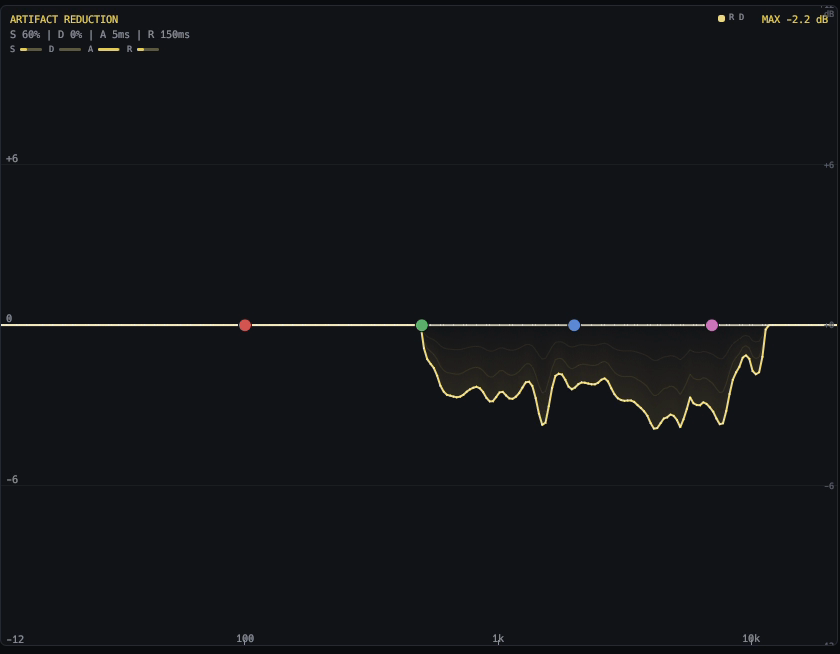
de-artifact is a VST3 / AU / CLAP plug-in that removes the artifacts AI music generators leave in a full mix: RVQ ghosting, codec residue and high-frequency aliasing from Suno, Udio, Stable Audio, MusicGen and Riffusion. It splits the audio into harmonic and percussive parts and applies a learned mask to each, on the master bus, with a 14-day free trial.
de-artifact is a restoration tool, not a tone shaper. It looks for the specific damage that generative models and lossy codecs leave in a signal, and subtracts it. Everything below is what that does and does not cover.
de-artifact runs three stages in series. The audio path stays the model's domain until the very end — clean residual subtraction with no manual EQ tricks.
Per frame, in real time.
About 300 ms at 44.1 kHz (13,126 samples with 512-sample blocks, measured on macOS) and about 325 ms at 48 kHz. A larger host buffer adds about 11.6 ms per extra 512 samples. Reported to the host, so plug-in delay compensation lines the session back up.
Drag spectrum handles to tell the model where to focus. The boost is fed only to the model — listener audio is auto-inverse-EQ'd, so tone is preserved.
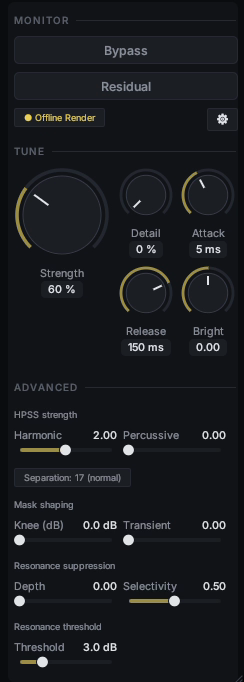
Bypass for A/B with the reported latency preserved, so the comparison stays sample-aligned. Residual plays only what is being subtracted — if you hear musical content in it, you are over-processing.
A soothe-style stage that tames narrow ringing peaks standing above the local spectral baseline. Depth, Selectivity and Threshold set how tight a peak must be and how far it has to rise before it counts — sibilance and harshness handled musically, rather than by a fixed band.
The HPSS split gives the harmonic channel (vocals, synths, sustains) and the percussive channel (drums, transients) their own reduction strengths. Separation switches the median kernel between Normal (17) and Strong (31) for dense mixes.
Every preset sets all controls at once; nudging a control afterwards marks the preset modified rather than snapping back. Save your own with Save As….
| Preset | Use it for | Character |
|---|---|---|
| Conservative | Subtle lossy-codec residue (MP3/AAC/Opus hash) | Barely touches the signal. Maximum transparency. |
| Balanced | General polish with a gentle hand | Light, even cleanup. |
| Default | General AI-generated / AI-separated material | The starting point — Strength 60 %. |
| Aggressive | Heavily artefact-laden AI tracks | Full strength plus resonance suppression. |
| Vocal | AI-separated vocal stems | Harmonic-weighted, transient- and sibilance-aware. |
| Gentle Reduction | Cleanup where transparency matters most | Very light touch with a soft mask floor — minimal colouration. |
| More Harmonics | Watery sustains and vocal smear | Maximum harmonic-channel reduction. |
| Soft Master Bus | Light artefact control on a finished mix | Wide, gentle cleanup — soft knee, slow release, strong resonance suppression. |
| Bring Your Breaks Bright Again | Old break / loop / acapella samples whose top octave was cut off | Strong separation, maximum harmonic reduction, no spectral floor, Brightness +0.54. |
| Nicerizer | AI-generated full mixes that need both the shimmer removed and the air put back | Firm reduction with Brightness +0.88 — the bandwidth-extension stage regenerating the top band. |
| Bmore | Break / loop material that needs the separation without added top end | Strong separation, percussive channel closed, no spectral floor, no Brightness. |
| de-chirp | Swept, tonal residue — chirp-like codec artefacts | Percussive-weighted reduction with a soft floor and Brightness +0.80. |
| Suno V6 | A full Suno V6 mix with generation residue across the whole track | Strongest of the set (Strength 1.60), full HF air, no spectral floor, 12 dB knee. |
| Stem Separation | A stem you already separated, where heavy processing would show | Gentle (Strength 0.60), Strong separation, percussive channel closed, soft floor. |
Same engine in all three. What changes is where it runs and how much of it you get to steer.
| The plug-in$149 one-time | Free onlineFree · no account | de-artifact CloudFrom $0.18 / minute | |
|---|---|---|---|
| Where it runs | In your DAW, on the 2-bus. | Upload one track and hear the result. | Full-length cleaning on our GPUs, from the browser. |
| Control | All 32 parameters under your hand. | Good for deciding whether this is the right tool before you spend anything. | One tuned preset rather than the full control surface — that part is what the plug-in sells. |
| Cost detail | No per-minute cost and no connection required once it is activated. | Free · no account. | Prepaid dollar credit, and Artist+ subscribers get $25 a month of credit included, shared with detection. An optional Clean + restore highs mode also generates the missing high end, at $0.75 per audio minute. |
| Try a track | See rates |
Drop any AI-generated audio and hear a 30-second A/B preview — free, no account needed. For full-length files there is de-artifact Cloud, or the plug-in itself.
WAV / MP3 / FLAC · max 50 MB · first run may take ~60s to warm up the GPU
14-day full trial — every preset, every parameter, no gaps. After 14 days the plug-in inserts a brief silent gap every 60 seconds until you activate.
macOS — Apple Silicon + Intel · Windows — x86_64 with AVX2 · Linux — roadmap
Not sure yet whether your track was AI-generated? Run it through the free AI music detector — no account, no upload of the master.
ArtifactUNet (3.6M params) runs on the audio thread alongside HPSS analysis, keeping a generous real-time margin even on entry-level Apple Silicon.
One license, all formats. Free updates within v1.x.